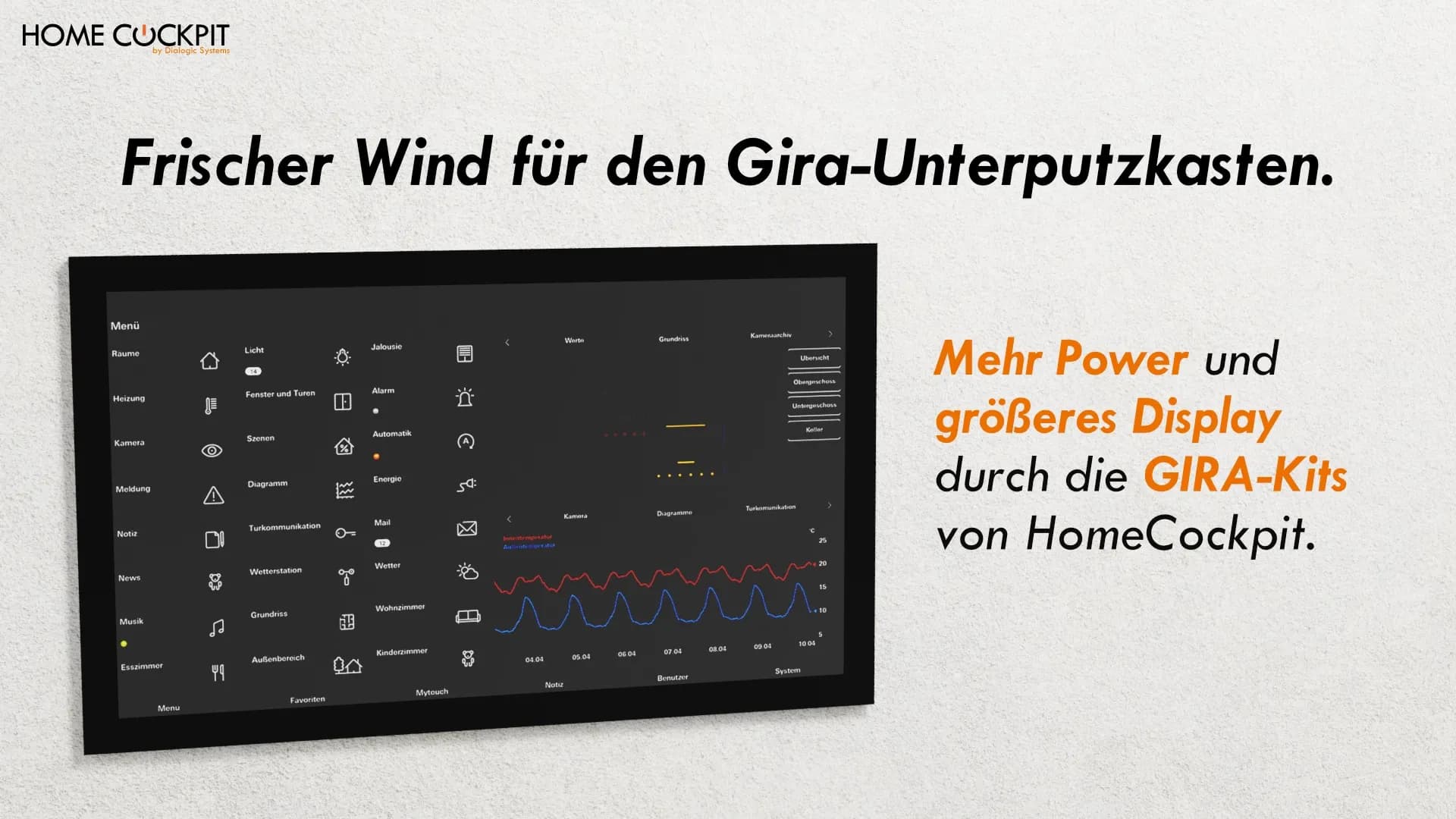
Gira Control 9 & Control 19 Successor: Modernize Touch Panel without Renovation
Many existing KNX installations still rely on the proven touch panels Gira Control 9 and Gira Control 19.
However, both devices were discontinued by Gira in April 2020. This presents operators, integrators, and planners with a central question today:
What is the right successor for the Gira Control 9 and Gira Control 19?
The good news:
An exchange does not have to involve chiseling work or functional compromises. Modern exchange kits enable a clean, future-proof modernization directly in the existing Gira flush-mounted boxes.
Discontinued: What the end of the Gira Control 9 and Control 19 means for operators
These touch panels are still in use in thousands of residential and commercial buildings. While technically still functional in most cases, more and more panels fail over time. Furthermore, the user interface and performance no longer meet today's expectations. Due to smartphone displays, users are accustomed to a very good and smooth user experience. An old touch panel cannot keep up with that.
So now you have the problem: The old Gira panel no longer meets your requirements or has given up the ghost. There are no new devices from Gira. This raises the question for many operators: Does the flush-mounted box need to be removed and the wall rebuilt, or is there an alternative?
Let's look at the different approaches.
The typical dead end: Removal or compromise
In practice, three approaches are often discussed:
Removal & new wall panel
A complete removal of the existing touch panel usually means interventions in the wall, the flush-mounted box, and sometimes also in the electrical system. This not only causes dirt and noise but also involves planning risks in existing buildings. Especially in occupied or used buildings, this approach is expensive, time-consuming, and often difficult to justify.
Tablet solutions
Tablet-based solutions appear flexible at first glance, but they are usually based on consumer hardware. Issues such as permanent availability, controlled updates, spare parts supply, and long-term stability are often critical here. For permanently installed KNX control points, tablets are therefore usually just a compromise, especially in a professional environment.
Downsizing to smaller panels
Switching to smaller touch panels is technically possible, but often comes with functional and ergonomic limitations. Less display area means less overview, more navigation, and operation that falls short of the original ambition of the Control series. For many operators, this path feels more like a step backward than a modernization.
What is missing from these approaches is a true successor solution that builds on the original ambition of the Control series, even without new construction.
What does a true successor mean for Gira Control 9 and Gira Control 19?
A true successor meets three central criteria:
- Use of existing Gira flush-mounted boxes
- No structural intervention in the wall or electrical system
- Technical and ergonomic progress
This is exactly where modern exchange kits come in:
They replace the old panel with a new modern touch panel in the same flush-mounted box. This means no construction work that costs time and causes dirt, only a quick installation of the new panel.
HomeCockpit: The modern successor for Gira Control 9 & 19
HomeCockpit offers powerful exchange kits for the discontinued Control 9 and Control 19 touch panels.
Thanks to an intelligent adapter and frame system, the new touch panels can be inserted directly into the existing Gira flush-mounted boxes: without chiseling, without new wiring.
The result:
A modern touch panel that is state-of-the-art both visually and technically, all with minimal effort.
Three performance variants: suitable for every application
As you've come to expect from HomeCockpit, the exchange panels are available in different performance levels:
Major | Excelsior | Excelsior Plus | |
|---|---|---|---|
CPU | Intel Celeron J6412 | Intel Core i5-1135G7 | Intel Core i5-1135G7 |
RAM | 8 GB | 16 GB | 32 GB |
Storage | 240 GB | 480 GB | 1 TB |
This allows all typical application areas of the original Gira panels to be covered, from classic single-family homes to complex commercial KNX installations. The appropriate variant can be configured directly in the Touch Panel Configurator.
Larger displays, better overview
A significant advantage of the HomeCockpit solution lies in the display size:
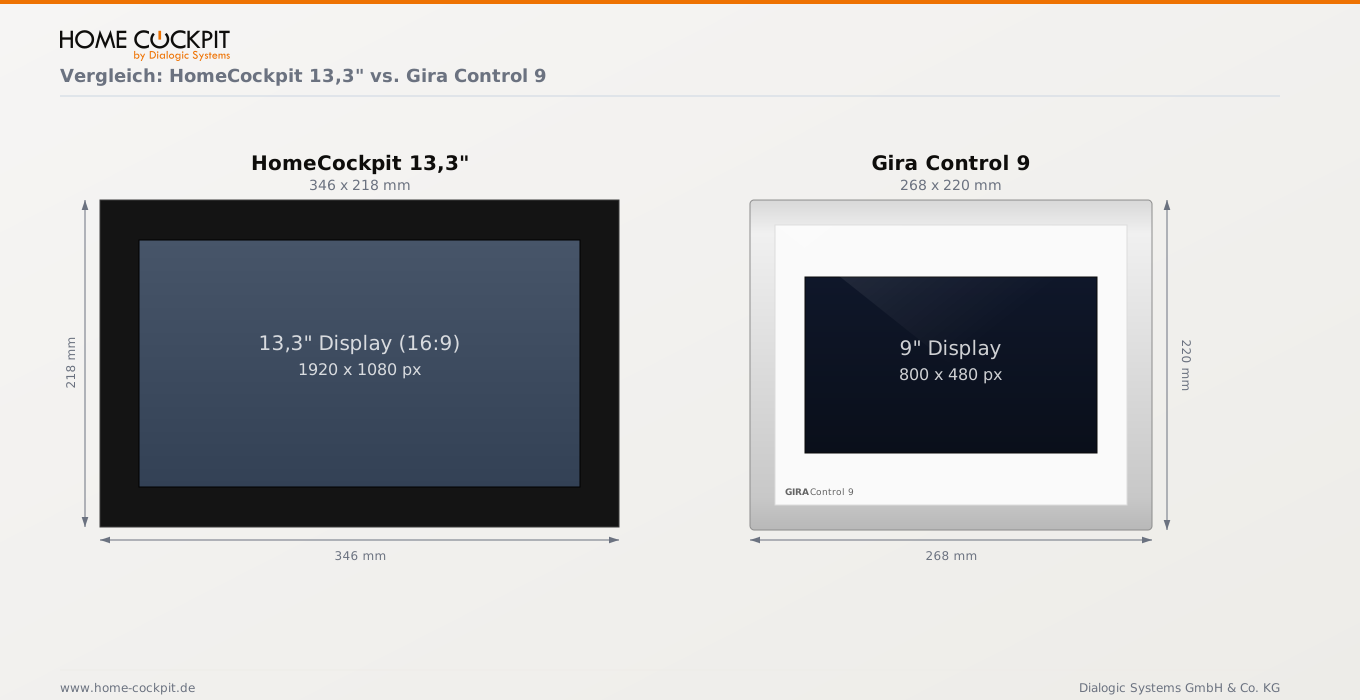
Control 9 successor: 13.3 inches
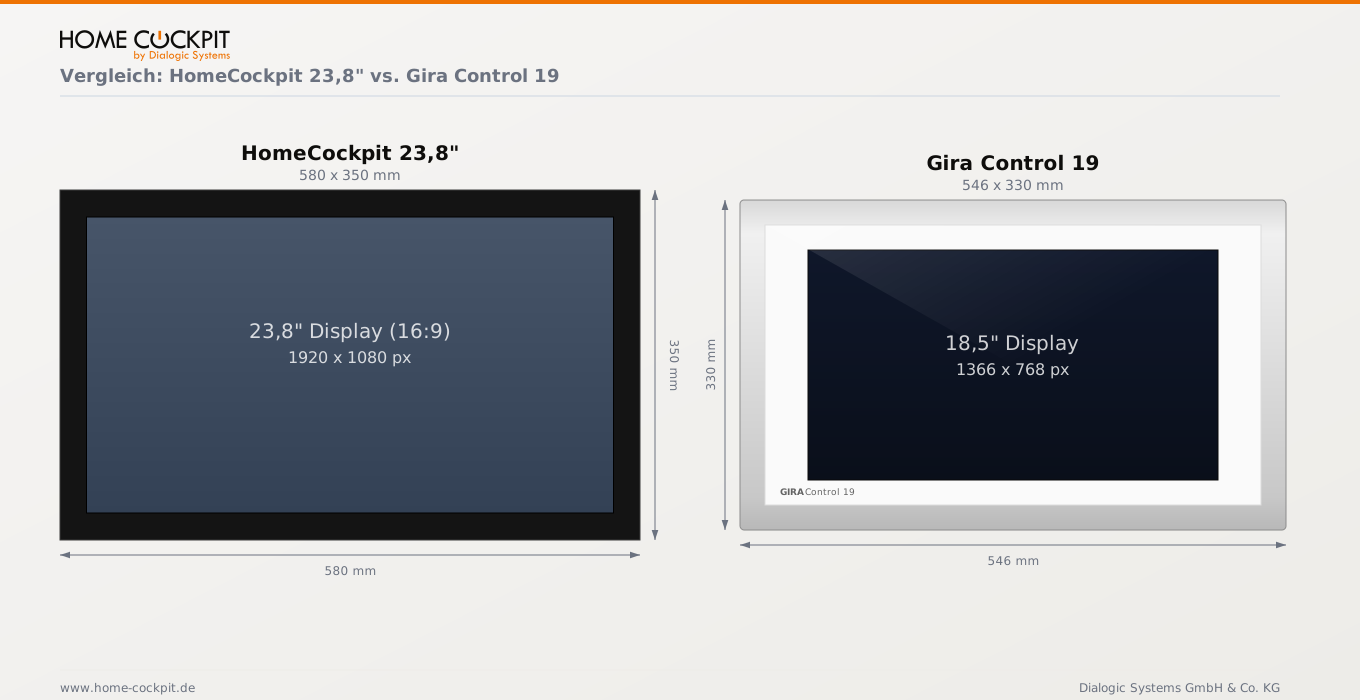
Control 19 successor: 21.5 inches, (new) 23.8 inches
Despite using the existing flush-mounted boxes, the HomeCockpit kits allow for significantly larger displays than the original devices. This results in an increase of 6.45 cm for the Control 19 and a full 10.4 cm for the Control 9. Additionally, the narrower frame provides a modern, minimalist look.
Continue using existing Gira visualization and door communication
A common request when modernizing Gira Control 9 and Gira Control 19 is to retain already established operating concepts.
Many systems have been using the Gira QuadClient visualization for years or are integrated into a Gira Door Communication station.
With the HomeCockpit exchange panels, this remains possible.
Thanks to the Windows 11-based operating system, the existing Gira visualization can continue to be used. Integration of Gira door communication, including video and voice functions, also remains possible.
Technically sound, long-term maintainable
When replacing an existing touch panel, it is crucial for many operators and integrators that the existing KNX logic remains unchanged.
This is precisely the case with HomeCockpit exchange solutions.
Group addresses, logic functions, and existing automations do not need to be recreated or adjusted. The exchange is limited to the control terminal itself. The KNX installation in the background remains intact.
This makes the exchange not a risk, but a controlled modernization.
When it is worthwhile to exchange Control 9 and Control 19
An exchange of Gira Control 9 or Gira Control 19 is particularly sensible when the existing KNX installation is functionally stable, but the control terminal no longer meets current technical or ergonomic requirements.
Typical use cases include:
- KNX systems in residential or commercial buildings whose logic has evolved over years and is reliable in operation
- Buildings where modification of the wall or flush-mounted box is to be avoided
- Systems where operating comfort, overview, and performance are to be improved without changing the system architecture
In these cases, the exchange allows for targeted modernization precisely where it is noticeable in everyday use: at the user interface.
The exchange is less suitable, however, if a comprehensive renovation or a fundamental system change is planned anyway. In such projects, the touch panel issue should be re-evaluated within the overall concept. In this case, new high-quality touch panels can be installed directly.
Conclusion: The better way to the Gira Control successor
The discontinuation of Gira Control 9 and 19 does not mean the end of high-quality wall touch panels.
With HomeCockpit's exchange kits, existing installations can be modernized instead of removed: clean, powerful, and future-proof. The existing KNX logic is retained, and construction work is eliminated. Those who want to bring their system up to date without giving up what works will find a direct solution here.
Frequently Asked Questions about the Gira Control Successor
Is the Gira Control 9 still available?
No. Gira discontinued the Control 9 in April 2020. New units are no longer available, and spare parts and support are also phasing out. For a replacement, third-party providers like HomeCockpit are the only long-term solution.
Does the HomeCockpit touch panel fit into the existing Gira flush-mounted box?
Yes. HomeCockpit's exchange kits are specifically designed for the flush-mounted boxes of the Gira Control 9 and Control 19. No structural intervention in the wall or electrical system is required.
Do I need to reconfigure the KNX programming when replacing a touch panel?
No. The KNX logic, group addresses, and automations remain completely intact. The exchange affects only the control terminal, not the installation behind it.
Can I continue to use Gira QuadClient on the HomeCockpit panel?
Yes. Since the HomeCockpit exchange panels run on Windows 11, the Gira QuadClient visualization can be used without modifications.
What is the suitable successor for the Gira Control 9?
The suitable successor is the HomeCockpit Gira kit in 13.3 inches. It is installed directly into the existing Gira Control 9 flush-mounted box — without chiseling or new wiring. Available in Major, Excelsior, and ExcelsiorPLUS performance levels.
What is the suitable successor for the Gira Control 19?
The suitable successor is the HomeCockpit Gira kit in 21.5 or 23.8 inches. Both sizes fit into the existing Gira Control 19 flush-mounted box. The 23.8-inch variant offers a significantly larger display than the original — in the same installation situation. Available in Major, Excelsior, and ExcelsiorPLUS performance levels.
What is the display size of the successor for the Gira Control 9?
The successor offers a 13.3-inch display. This corresponds to an increase of approximately 10.4 cm compared to the original, with a narrow frame and a more modern look.
Buy Gira exchange touch panel or get advice
Would you like to check which solution is suitable for your existing installation?
Configure your exchange kit directly online: Configure Touch Panel
Or call us: We will advise you on which panel fits your situation: +49 8095 / 873 373-0