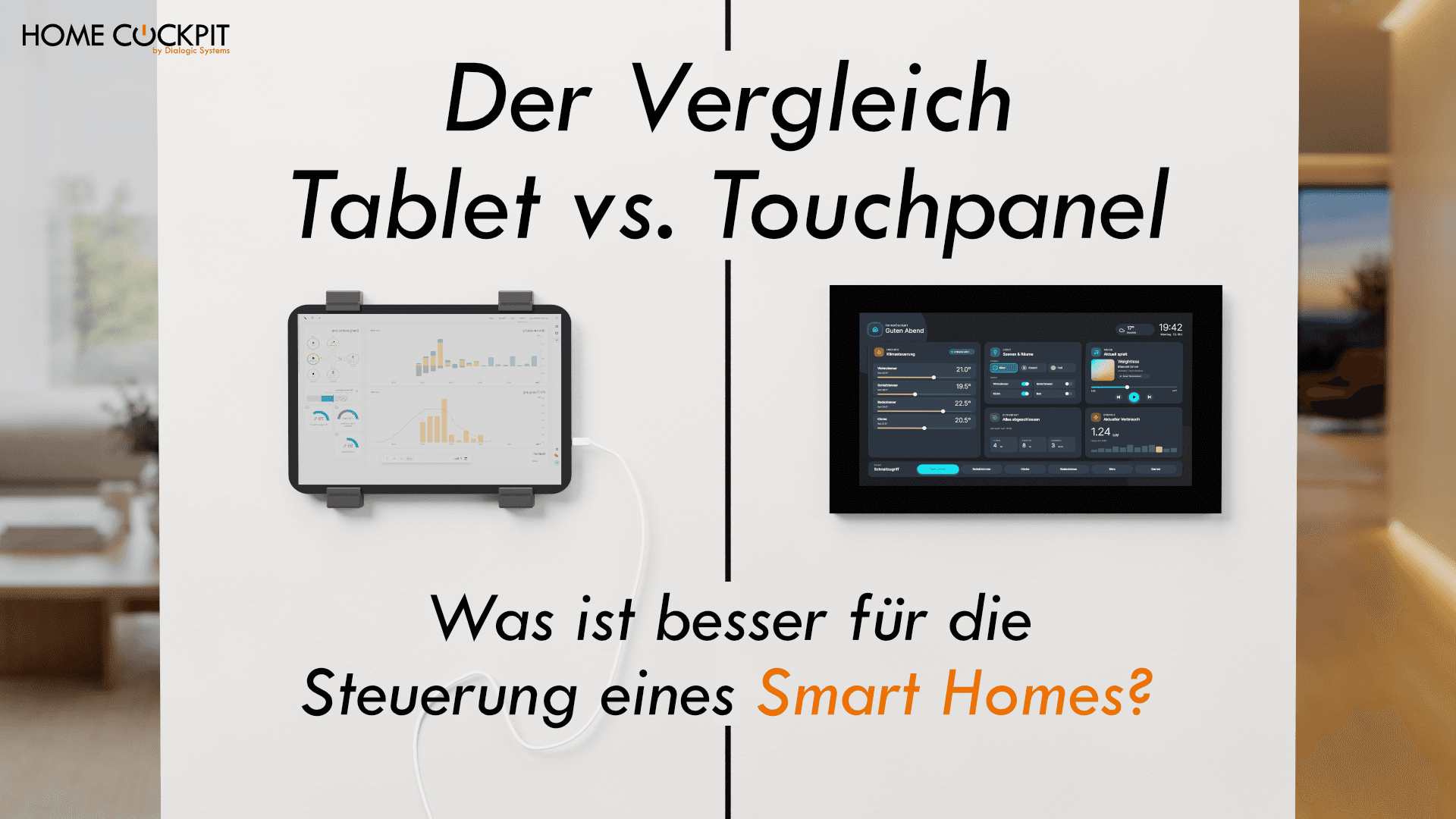
Smart home tablet on the wall or touch panel? When which solution is appropriate
The most important points in brief
- A smart home tablet can control lights, heating, and blinds. With a kiosk app, a mount, and continuous power, it becomes a usable control point on the wall.
- However, on the wall it remains permanently connected to the charging cable and Wi-Fi. This puts a strain on the battery, the cable usually remains visible, and if the battery or Wi-Fi fails, it does not respond.
- If the front door can be opened via the smart home, security also counts. The tablet communicates via Wi-Fi, while the touch panel is connected via cable within its own network.
- For door intercom systems, camera feeds, and a fixed control point that everyone in the house uses, a permanently installed touch panel is the more reliable choice.
- In many houses, the answer is both: the touch panel as a fixed station, smartphone, or tablet for on the go.
A control point for the smart home is planned for the hallway. There is an unused tablet lying in a drawer, and a wall mount costs around 50 euros. So why not use that?
The question is justified, and the answer depends less on the tablet than on what the control point needs to be able to do. This article addresses the question in the order it arises. Is it even possible? What is required for it? What speaks against it? And where does a touch panel make a difference?
Can you use a tablet for smart home control?
Yes. Almost every smart home system can be operated via a tablet. Loxone and Home Assistant have their own apps, and Home Assistant also runs in the browser. For KNX, there are visualizations that run as an app or web interface on the tablet, provided there is a visualization server or a suitable gateway in the house.
In this setup, the tablet is just the user interface. Schedules, scenes, and automations run on the system in the background. If the tablet fails, the lights will still turn on. You only lose the control point.
For many people, that is enough. Anyone who already operates their smart home mostly via smartphone and simply wants quick access to lights and heating on the wall is well-served with a tablet. The question is what is required for it and where the limitations lie.
What a smart home tablet on the wall requires
A tablet is built for the hand, not for the wall. For it to work there as a fixed control panel, two things must be resolved: the software and the power.
Software and Network
Kiosk Mode. In everyday use, the tablet should display the smart home interface and nothing else. For this purpose, there are kiosk apps, such as Fully Kiosk Browser on Android, and Guided Access on the iPad. They restrict the tablet to the smart home app—and on Android optionally to a few other approved apps—preventing anyone from accidentally ending up in the app store.
Stable Wi-Fi. The tablet connects to the wireless network. If the mounting location is at the edge of the coverage area, the interface will react sluggishly or lose connection. A nearby access point or a mesh system is therefore part of the planning.
Power and Mounting
A tablet on the wall needs continuous power, otherwise the battery will be empty after a day. The charging cable therefore has to go somewhere, ideally where it is not visible or fits the design.
There are four common ways to achieve this:
- Socket under the tablet: the fastest way. The cable hangs visibly between the mount and the socket.
- Surface-mounted cable duct: neater, but the duct remains visible.
- Flush-mounted power supply: The cable disappears into the wall. This requires chasing the wall or installing a junction box, which is work for an electrician.
- Network cable with PoE adapter: An adapter extracts power and network from a single network cable. The tablet is then no longer connected via Wi-Fi, but the battery remains inside, and the adapter is usually visible behind or below the mount.
Therefore, wall-mounting a tablet is more than just two screws. In addition to the tablet and mount, you need a power supply or adapter, a kiosk app, cable management, and eventually a replacement device. In most cases, a cable will still remain visible in the end, because mounts with concealed connections are only available for certain tablet models.
The disadvantages of a smart home tablet on the wall
A tablet on the wall relies on Wi-Fi and its battery. That is precisely where its weaknesses lie.
Security: Whoever has control also opens the door
If the intercom system or an electric door lock is connected to the smart home, the control panel is more than just a light switch. Anyone who has access to the control system can also open the front door. Therefore, it matters how easily someone can access the control system from the outside.
A tablet is usually connected via Wi-Fi to the network, and wireless signals extend beyond the house wall. An attacker can set up an access point posing as the home network and intercept what the tablet sends to the control system. If the tablet was previously a personal device, it has also likely logged into foreign Wi-Fi networks in the past. And a tablet retrieved from a drawer often receives no more security updates.
A touch panel is connected via network cable in its own network. Anyone wanting to tap the cable must first get into the house.
Unreliable when it counts
For lighting and heating, a brief dropout is annoying but harmless. It is a different story with the intercom system. The doorbell rings, and the tablet happens to have no Wi-Fi, an empty battery, or is stuck in an app update. Then you cannot see who is at the door and cannot open it.
A control station that you cannot rely on precisely when someone is at the door fails its purpose. That is the point where the tablet solution ceases to be viable for many homes.
A tablet almost always has a battery
Tablets almost always have a lithium-ion battery, even if they are never taken off the wall. And on the wall, it is constantly being charged.
Lithium-ion batteries age the fastest when they are permanently fully charged and warm at the same time. Both apply to a tablet in a wall mount. It is plugged into power around the clock, the display is lit, and heat builds up between the device and the wall. Capacity drops, and in the worst case, the battery swells up. Then the casing warps or the display lifts, and the tablet must be removed immediately.
Some manufacturers offer a charge limit that stops charging the battery at 80 or 85 percent. Others solve the problem with a timer socket that switches off the power supply for a few hours at a time. Both help, but it is yet another part that needs to be set up and maintained. A permanently installed touch panel has no battery and is powered directly via its power supply unit. That question does not arise there.
Where you benefit from a touch panel
A touch panel is firmly embedded in the wall, connected to the home network via a network cable, and receives its power from its own power supply unit. The tablet's two weak points, battery and Wi-Fi, are thus eliminated.
What you gain from this in everyday life:
- Intercom system and camera images: On request, the camera image of the front door appears automatically, and you can open the door at the touch of a button.
- Switching between programs: Visualization, camera, radio, and browser are just a tap away.
- One control point for everyone: Everyone in the house can operate it; a password protects sensitive functions.
- No visible cables: The touch panel sits flush in the wall like a light switch.
Intercom system and camera images
When the doorbell rings, the difference compared to a tablet becomes most apparent. With a presence detector in the touch panel, the display turns on as soon as you stand in front of it, without tapping and without unlocking. The presence detector in HomeCockpit works with radar and also detects people who are standing still in front of the panel at an adjustable distance of 0.4 to 5 meters.
When the doorbell rings, you can configure it so that the camera image of the front door appears automatically. You can see who is outside, talk via the intercom system, and open the door at the touch of a button. A prerequisite is a SIP-compatible intercom system, meaning one that can make calls via the network. This function is one of the biggest wishes of smart home owners.
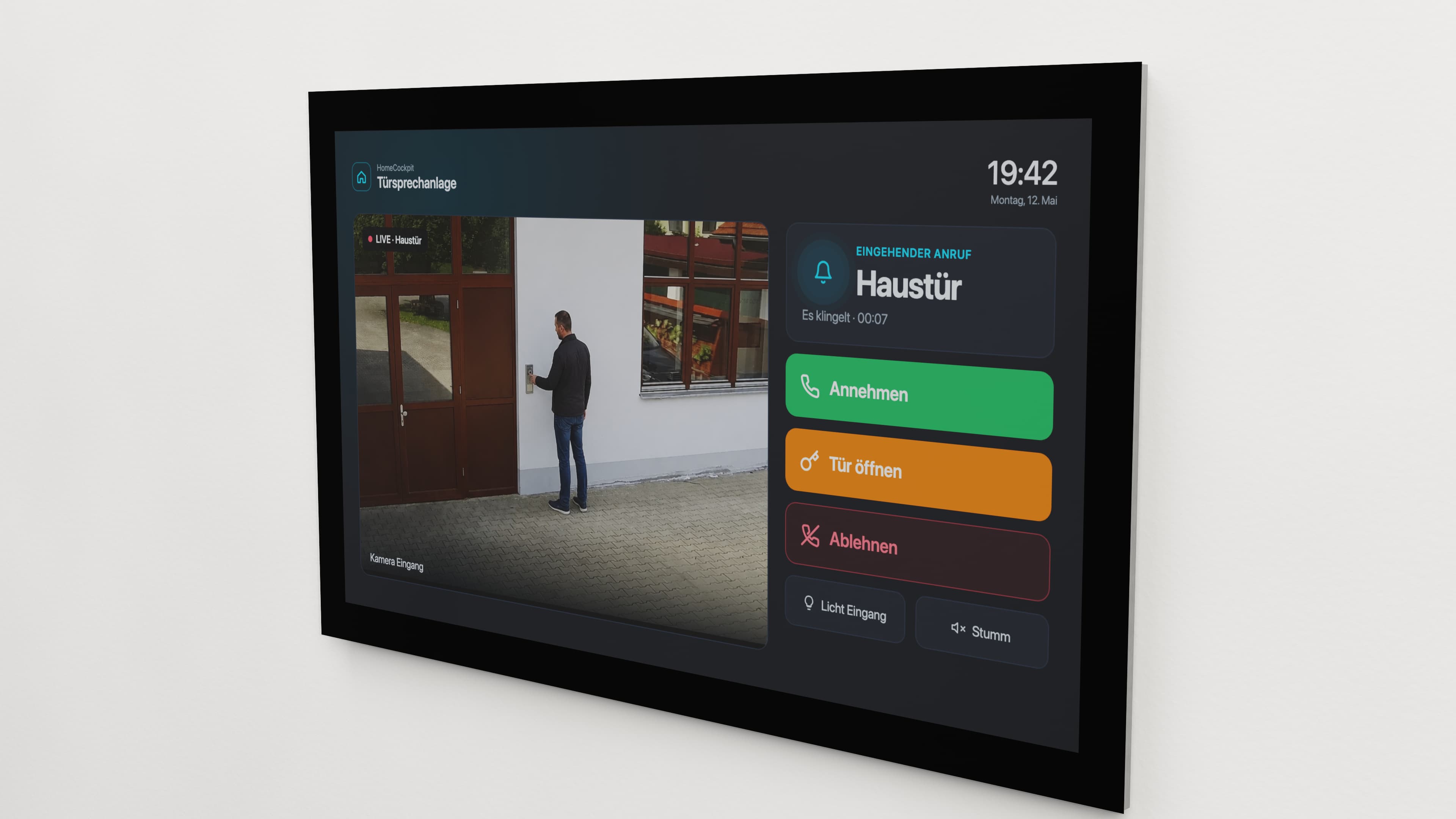
Added to this is the processing power. The touch panels show several camera images simultaneously. How many depends on the processor. Anyone who wants to keep an eye on their house from the outside will see all the cameras on one screen instead of image by image on a smartphone. How to set this up is explained in the article Displaying a surveillance camera on the touch panel.
Switching between programs
On a wall-mounted tablet, kiosk mode can be set up in such a way that, in addition to the smart home interface, the radio, browser, or camera app remain accessible. On Android, this is done using kiosk apps that multiple approved apps allow. On the iPad, however, guided access locks the device to exactly one app, and it must be exited using a passcode or Face ID for every switch.
A touch panel running Windows includes switching as a built-in program. With HomeCockpit, this is handled by HC-Navigation. At the push of a button, you can switch from the visualization to the browser, internet radio, camera view, or digital picture frame and back again.
You can configure individually for each touch panel which programs appear in the navigation. In the hallway, visualization and camera might be enough, while the kitchen gets the radio and browser as well.
A control station for everyone in the house
Often, a tablet that previously belonged to someone personally is mounted on the wall, complete with their own account, private apps, and notifications. As a control station for everyone, it then has to be set up from scratch so that guests or the cleaning staff don't end up in messages and photos.
The permanently installed touch panel is from the very beginning a control station for the house. Anyone standing in front of it can operate the lights, heating, and air conditioning, and that is intended. Functions that not everyone should be able to access can be protected by password.
Installation: more effort, no visible cables
Installing a touch panel is more complex than a tablet mount. However, a clean solution without visible cables still requires an electrician, just like a tablet. Something has to be done to the wall anyway.
For a touch panel, a flush-mounted box is recessed into the wall and an empty conduit is laid, through which the network and power cables will run later. Afterwards, the wall is plastered and painted.
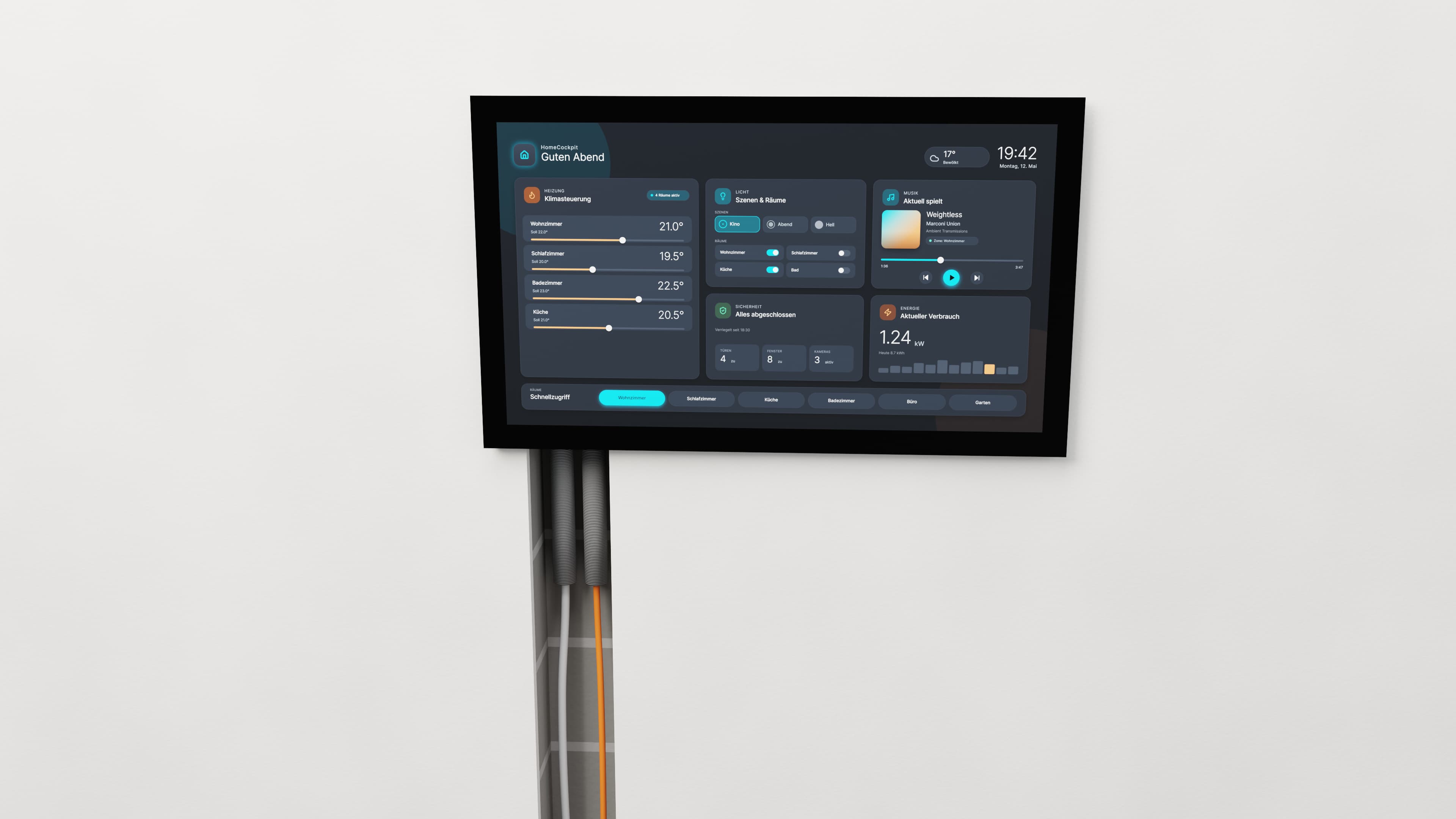
This effort only occurs once. After that, the touch panel sits flush with the wall like a light switch, without a mount and without any visible cables. It is part of the electrical installation and is planned right along with it, whether in new construction or during a renovation.
With a tablet, on the other hand, adjustments are often made later: a cable duct here, a new mount there because the replacement tablet no longer fits the old one. With every replacement, the control station looks a bit more like an afterthought.
A point for planning: additional modules such as presence detectors or cameras are ordered together with the touch panel in HomeCockpit and cannot be retrofitted.
Summary: Tablet or Touch panel?
The comparison at a glance
Smart Home Tablet | Touch panel | |
|---|---|---|
Power supply | Battery, permanently connected to the charging cable | Power supply unit, no battery |
Installation | Mount, cables mostly visible | Flush-mounted, flush with the surface, no visible cable |
Effort | Low; an electrician is required for concealed cables | Flush-mounted box, conduit, network cable |
Continuous operation | Battery ages, can swell | Built for this purpose |
Network | Wi-Fi, or network cable with PoE adapter | Network cable |
Security | Radio signals extend beyond the exterior wall | Cables are only accessible inside the house |
Intercom and camera | Dependent on battery and Wi-Fi | Camera image appears automatically when the doorbell rings |
Programs | Authorized apps in kiosk mode | Multiple programs, switchable with a tap |
Users | Must be set up for everyone | For everyone in the house, sensitive functions protected by password |
Mobile usage | Yes | No, fixed to the wall |
When a tablet is enough and when a touch panel is the better choice
A tablet is enough, if you primarily want to control lights, heating, and blinds from the wall, usually operate your smart home via smartphone anyway, and do not want to integrate a video intercom. An existing tablet is then a sensible starting point.
A touch panel is the better choice, as soon as one of these points applies:
- A video intercom should ring and unlock at the control station.
- Camera images should be visible at a glance, including several simultaneously.
- The control station is intended for everyone in the house, including guests or staff.
- You want to see more than individual switches: a floor plan, the energy flow of the PV system, the consumption of individual areas.
- It concerns a commercial or non-residential building where everyone must understand the control system without instruction.
In many homes, the answer is both. The touch panel is the fixed station in the hallway or kitchen, while the smartphone or tablet serves as the remote control for the sofa.
Frequently asked questions about tablets and touch panels in the smart home
Can I use my old tablet as a smart home control center?
Yes, as an operating interface. An up-to-date operating system is important so that the smart home app can still run, along with a kiosk app and a continuous power supply. The tablet is not the actual central unit that executes automations; that remains the smart home system in the background.
Can a tablet stay connected to the charger permanently? Technically yes, but the battery ages faster because it is constantly fully charged and warm. In worst-case scenarios, it can swell up. A charge limit, if the tablet has one, or a timer socket mitigates this.
Can I control KNX with a tablet? Yes, via a KNX visualization running as an app or in a browser. This requires a visualization server or a gateway in the house that communicates between KNX and the network. The tablet itself does not speak KNX.
Does a touch panel need the internet? Not for in-home operation; the local network is sufficient for that. The touch panel needs an internet connection for remote maintenance, licenses, and Windows updates.
Configure your touch panel or get advice
Put together your touch panel online by choosing the size, mounting type, and additional components, or call us at (+49 (0) 8095 873 373-0): We will advise you on which touch panel suits your house and system.