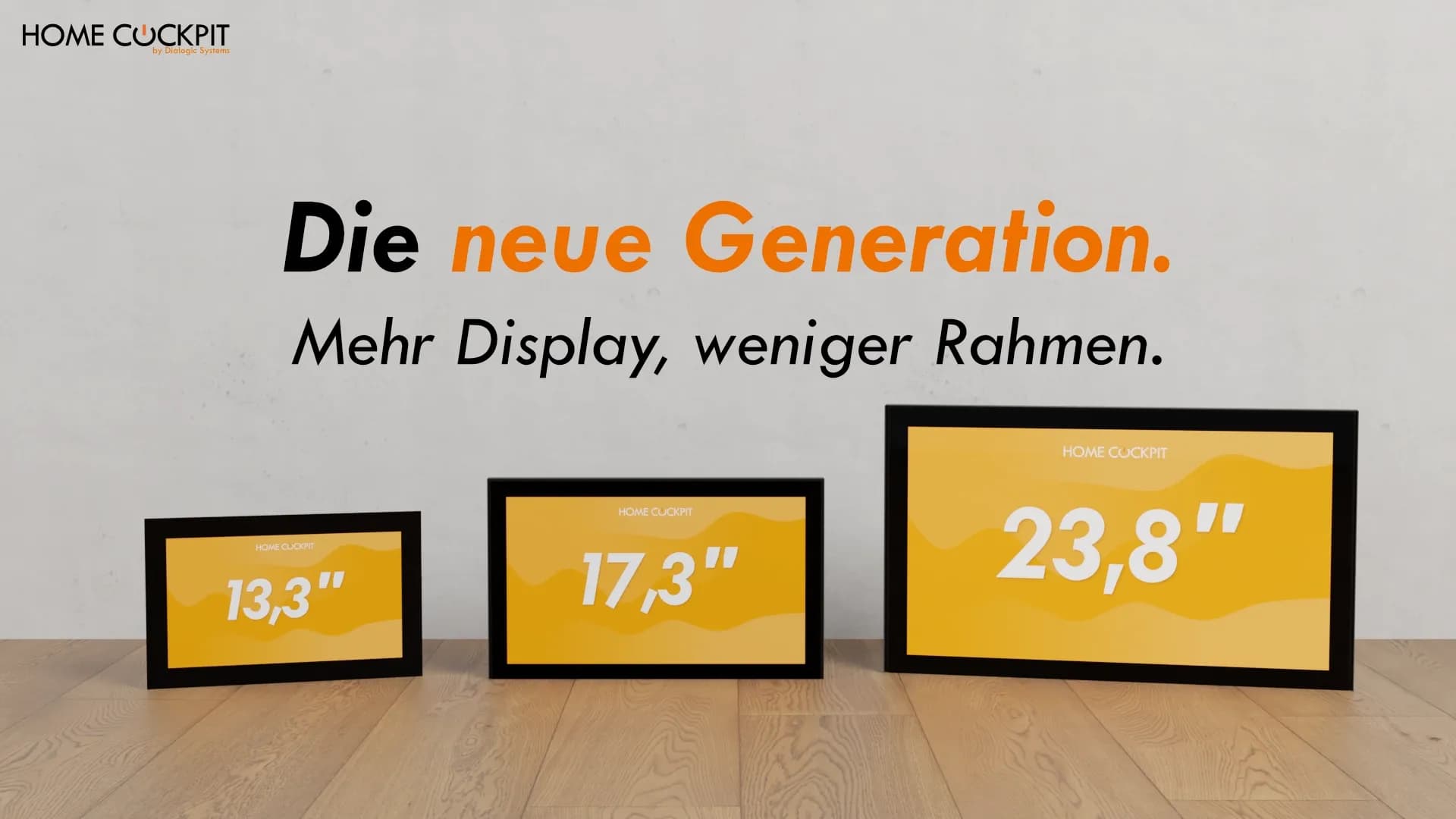
The new HomeCockpit touch panel generation: more display, narrower bezel, same installation
Anyone who installs a wall touch panel in a residential or commercial environment knows the problem: the frame looks too bulky, the display too small in relation to the front surface. For years, what is mounted on the wall looks like a piece of technical equipment that has simply been attached, rather than an integral part of the room.
With the new generation, HomeCockpit has made the frame narrower while simultaneously increasing the usable touch surface. External dimensions remain the same, but the visible display grows. This gives users a better overview of their smart home. The touch panels run Windows 11 IoT Enterprise, allowing them to execute any standard smart home or KNX visualization software.
What is different about the new generation
Due to their design, previous touch panels had a wide border around the actual display. This is where the touch controller, display connection, lighting electronics, and mounting are located. What was mostly visible of all this was: the frame.
The new architecture inside the panel packs these components together more compactly. This has two effects that are immediately visible in everyday use:
- With identical external dimensions to a predecessor panel, the touch surface becomes significantly larger.
- With the same diagonal size the housing becomes smaller and fits into flush-mounted boxes that previously could only accommodate smaller diagonals.
The result is visually calm and ergonomically clear: the areas you actually touch have become larger, the frame smaller.
From 4:3 to 16:9 format
The older panel generation was built in a 4:3 format, the new one is in 16:9 widescreen. This is more than just a number on a data sheet: 16:9 is the format for which practically all screens today are designed, from monitors to tablets to televisions. Video streams, IP camera images, IPTV, and most web and visualization interfaces are produced in this aspect ratio.
For a wall-mounted touch panel, this has an immediately visible effect: 16:9 format content fills the entire area without compromise. On a 4:3 panel, however, the same camera stream or TV image has to be adjusted, depending on the setting with black bars, stretched vertically, or cropped at the edges. The widescreen format really comes into its own in typical smart home applications: camera images via the HC-Camviewer, door communication, and television via the HC-TV module are displayed without borders. Dashboards with multiple adjacent tiles also gain usable width.
Three sizes, tailored to typical rooms
The new generation includes three diagonals. Each size covers a different typical location of use.
Size | Typical use |
|---|---|
13.3" | Compact rooms, extensions, bathrooms |
17.3" | Living rooms, hallways, kitchen |
23.8" | Representative locations, central living area |
The middle size, the 17.3" panel, is the latest addition, bridging the gap between 13.3" and 23.8".
You can find more details about the 17.3" panel in the dedicated article on the 17.3" touch panel.
More display without a new flush-mounted box
The narrower frame has a practical side effect that is particularly relevant during modernization: A new generation panel often fits into the flush-mounted box of a smaller predecessor panel.
Specifically, this means for the three sizes:
- The 13.3" panel fits into its own 13.3" flush-mounted box and into that of the Gira Control 9.
- The 17.3" panel fits into its own 17.3" flush-mounted box as well as into the boxes of existing 10.4" and 13.3" panels.
- The 23.8" panel fits into its own 23.8" flush-mounted box, into the boxes of existing 18.5" and 21.5" panels, and into the Gira Control 19.
In new buildings, a dedicated flush-mounted box is available for each size, optionally supplemented by a flush-fit frame that allows the panel to sit level with the plastered surface.
Three performance levels per size
As with all HomeCockpit touch panels, various performance variants are available to choose from. Which level makes sense depends on what will be running on the panel later.
Major | Excelsior | ExcelsiorPLUS | |
|---|---|---|---|
CPU | Intel Celeron J6412 | Intel Core i5-1135G7 (Ultra 5 125U for 17.3") | Intel Core i5-1135G7 (Ultra 5 125U for 17.3") |
RAM | 8 GB | 16 GB | 32 GB |
Storage | 240 GB SSD | 480 GB NVMe | 960 GB to 1 TB NVMe |
As usual, all variants feature a fanless design, come with an external DIN rail power supply, and run on Windows 11 IoT Enterprise. The Major is sufficient for classic smart home visualizations with buttons, schedules, and simple status displays. Excelsior and ExcelsiorPLUS are useful when additional video streams from IP cameras, door communication, and multiple modules active in parallel are required.
Display and Operation
Display and operation quality is identical across all three sizes:
- Resolution: Full HD (1920 × 1080) in 16:9 format
- Touch system: projected capacitive multi-touch
- Front: black cover glass (white also available for the 13.3 model)
- Brightness: 480 cd/m², contrast 1100:1
- Viewing angle: 85° in all four directions
The latest display generation offers additional advantages: fewer reflections, a more contrast-stable image even when light comes from the side, and no visible offset between the fingertip and the button. The typical parallax effect of cheap tablets is eliminated.
Operation is just what you are used to from a high-end smartphone: multi-finger gestures are recognized precisely, swiping is smooth, and even a light touch of the finger is enough. Pressure sensors or forceful tapping are not necessary.
Learn more about the difference between resistive and capacitive touchscreens in our blog article.
Audio and Optional Modules
Major, Excelsior, and ExcelsiorPLUS come standard with two integrated 5-watt speakers and an integrated microphone. This means the panels are ready for voice output, door communication, IP video telephony, and music playback without any additional hardware.
Three hardware modules can be added when ordering:
- Voice Performance Module (BSTVOIV1): Hardware-integrated echo, feedback, and noise cancellation in real-time. Useful wherever the panel serves as the main station for door communication or video conferencing.
- Camera Module (BSTCAMV1): Integrated 5-megapixel wide-angle camera. Enables video telephony directly on the panel. Not available on the 13.3" panel for structural reasons.
- Presence detector module (BSTPIRV1): Radar sensor that also detects stationary persons via micro-movements and activates the display only when someone is in the room. In the new generation, only selectable for the 17.3" panel, not for the 13.3" and 23.8" panels for structural reasons.
Important: Modules are physically built into the panel. They must be specified when ordering; subsequent retrofitting is not possible. Software modules such as the HC basic module, the HC videophone module, or the HC TV module, on the other hand, can be retrofitted at any time.
Availability and configuration
All three sizes are available immediately. You can put together the exact configuration—size, performance level, mounting variant, and modules—in the touch panel configurator.
Notes on availability:
- 13.3" is available as flush-mounted and as Gira-Kit Control 9, in the levels Major, Excelsior, and ExcelsiorPLUS.
- 17.3" is available as of May 2026 exclusively as a flush-mounted variant in black. Surface-mounted and Gira-Kit are not planned for this size.
- 23.8" is available as flush-mounted and as Gira-Kit Control 19, also in the three performance levels.
Conclusion
The new HomeCockpit generation is not a reinvention of the touch panel, but an engineering step that makes a noticeable difference in everyday use: more display with the same or smaller outer dimensions, a narrower frame, and a cleaner look on the wall. In existing buildings, it allows replacement without chiseling walls; in new builds, it provides a panel that integrates rather than imposes itself. Which of the three sizes fits best depends on the room and the application.
Frequently Asked Questions about the new touch panel generation
What sizes does the new HomeCockpit generation include? The new generation is available in 13.3", 17.3", and 23.8", each featuring a Full HD display (1920 × 1080) in a 16:9 format.
How does the new generation differ from earlier HomeCockpit panels? Primarily in the narrower frame: with identical or smaller outer dimensions, the usable touch surface becomes larger.
Does a new-generation panel fit into an old flush-mounted wall box? Often yes. Because the housing is smaller for the same diagonal size, every new-generation panel fits into several flush-mounted boxes: the 13.3" panel into its own 13.3" box and the Gira Control 9, the 17.3" panel into its own 17.3" box as well as boxes for 10.4" and 13.3" panels, and the 23.8" panel into its own 23.8" box, boxes for 18.5" and 21.5" panels, and the Gira Control 19. The wall opening remains unchanged.
What performance levels are available? Major, Excelsior, and ExcelsiorPLUS are available for each size. They differ in CPU, RAM (8 / 16 / 32 GB), and storage: Major covers classic smart home visualizations, while Excelsior and ExcelsiorPLUS are designed for video streams, door communication, and multiple modules active in parallel.
What operating system runs on the panels?
All panels run on Windows 11 IoT Enterprise.
Can the camera, presence detector, and Voice Performance module be added to every size? No, that depends on the size. Voice Performance is available for all three sizes. The camera module can be selected for the 17.3" and 23.8" panels, but not for the 13.3". For structural reasons, the presence detector module is only available for the 17.3" panel. All modules must be specified when ordering.
Configure touch panel or get advice
Not sure which size and performance level fits your installation?
Configure your touch panel directly online or give us a call: We will advise you on which variant suits your situation.