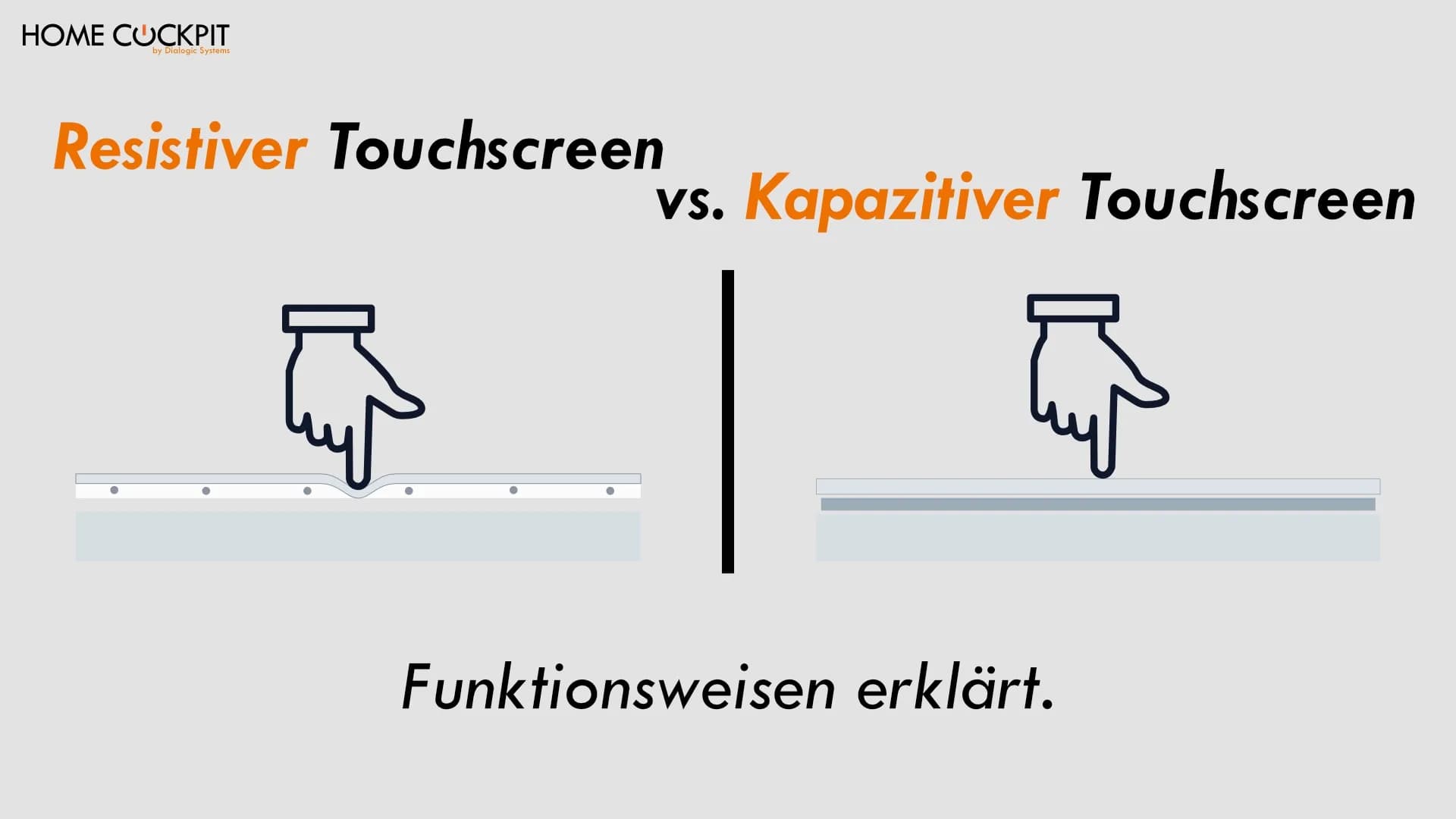
Resistive or capacitive touchscreen: Where the difference lies and which one belongs on the wall
You operate your smartphone without thinking about it: a light tap, smooth swiping, two fingers to zoom. Then you stand in front of a different touchscreen—at a ticket machine, a payment terminal, or an older control device on the wall—and suddenly it feels completely different. You have to press harder, the swiping stutters, and sometimes nothing happens at all on the first tap.
Why is that? Because of the technology directly beneath the glass. There are two fundamentally different ways to detect a touch: the resistive and the capacitive touchscreen. Both solve the same task of converting a touch into a position in completely different ways. You notice immediately which one is installed by how it feels to operate.
At a vending machine or with an older control device, this is just a brief moment. A touch panel as a central control interface in a smart home, however, is something you operate every day for many years. The technology hidden beneath it determines how the operation feels, how sharp the image remains, and how long the surface lasts.
How a resistive touchscreen works
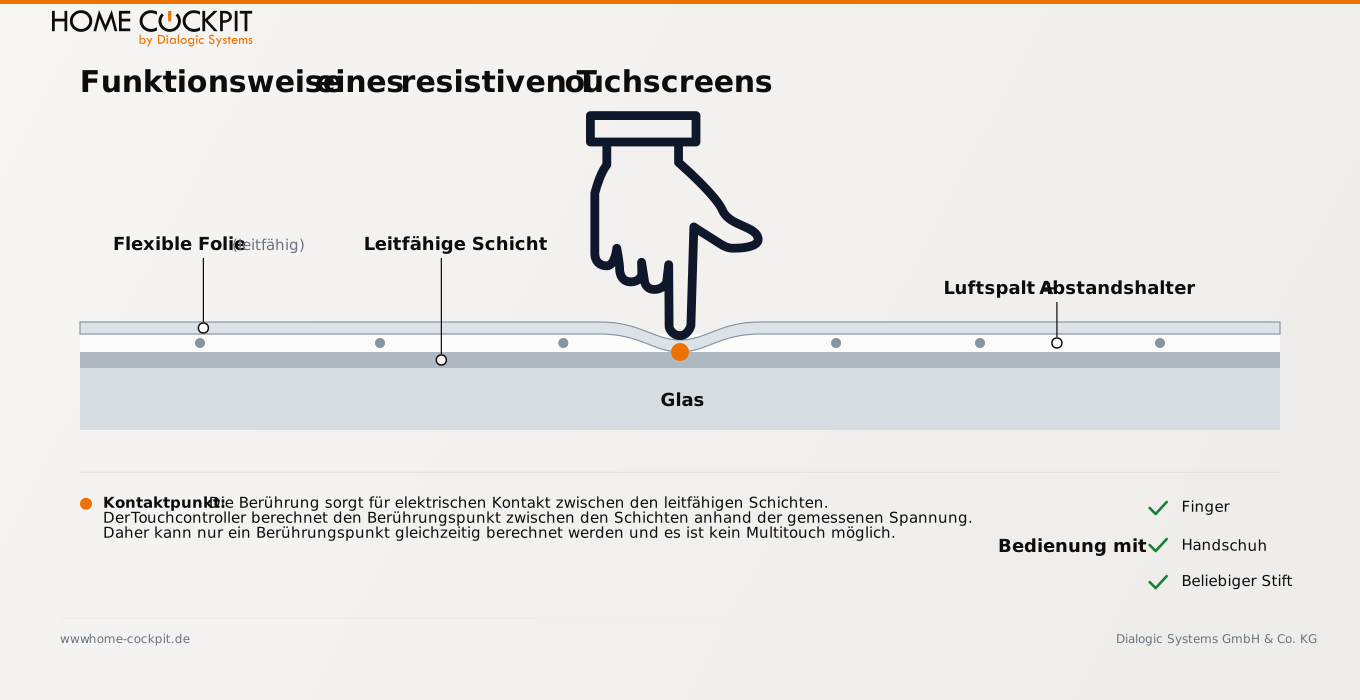
A resistive touchscreen consists of two thin, conductive layers separated by a tiny air gap. When you press the surface with a finger, stylus, or fingernail, the top layer bends and touches the bottom one. A contact is made at this point, and the controller calculates where the press occurred based on the measured voltage.
The key word is "press". A resistive touchscreen responds to pressure, not to the touch itself. This is why it works with almost everything: bare fingers, gloves, a simple plastic stylus. This is its greatest strength. The top layer usually consists of a flexible plastic film that can bend. This exact film is also its greatest weakness, more on that in a moment.
How a capacitive touchscreen works
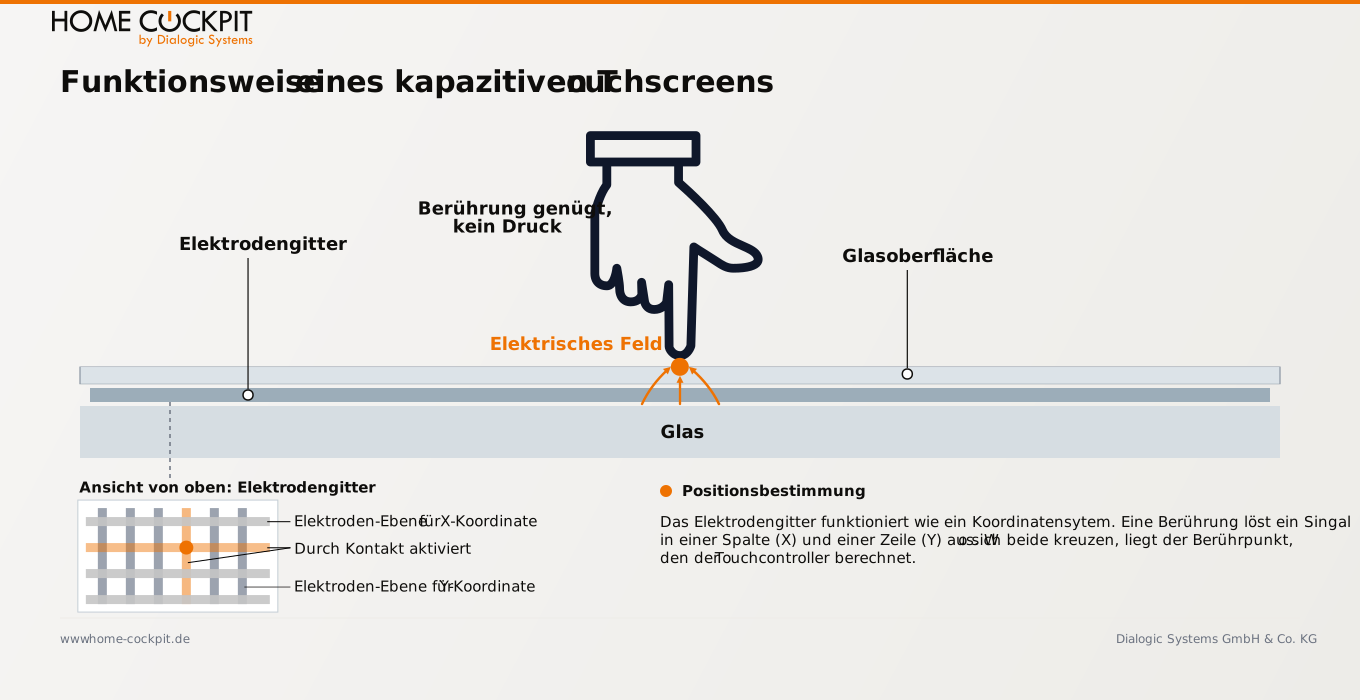
A capacitive touchscreen does not require moving layers. Beneath a solid glass surface lies a fine grid of transparent electrodes that creates a uniform electrical field. The human body conducts electricity. As soon as a finger touches the glass, it alters the field at that exact spot. The controller measures the change and determines the position from it, completely without pressure.
Since the measurement is based on the conductivity of the finger, a light touch is sufficient. An ordinary plastic stylus will not work for this, and thick gloves make it difficult. Modern wall-mounted touch panels use the sophisticated variant of this technology, projected capacitive touch (PCAP). It detects multiple touches simultaneously and works reliably through a solid glass pane. This is the same technology found in every modern smartphone.
The Difference in Practice
The two operating principles result in significantly different behavior in everyday use. The most important points in direct comparison:
Feature | Resistive | Capacitive (projected) |
|---|---|---|
Activation | Pressure required | Light touch is sufficient |
Multi-finger gestures (multitouch) | No, usually only one point | Yes, multiple fingers simultaneously |
Swipe, zoom | Jerky to not at all | Smooth |
Operation with gloves | Works | Limited |
Operation with any stylus | Works | Only with capacitive stylus |
Surface | Soft plastic film | Solid glass |
Image quality | Muted, somewhat matte | Clear and high-contrast |
Scratch resistance | Low, film wears out | High, glass |
Accuracy over time | Decreases, recalibration required | Stable |
Two points stand out in everyday use. The first is the operating feel: A capacitive touchscreen reacts to a light touch and supports true multi-touch gestures, whereas a resistive one requires deliberate pressure and generally only registers a single touch point. The second is image quality: The two conductive films and the air gap of a resistive touchscreen absorb and scatter light. The image appears duller than behind a clear glass pane.
Where resistive touchscreens still make sense
Resistive does not mean bad. The technology has its place where its characteristics are an exact fit. In industry and workshops, people often work with work gloves, and a resistive touchscreen handles this effortlessly. Retail signature pads rely on precise stylus contact, not fluid gestures. And because resistive touchscreens are cheaper to manufacture, they are still found in many older or particularly budget-friendly devices.
These advantages, however, hardly apply to a permanently installed touch panel in a residential or commercial environment. Here, operation is done with bare fingers, the panel should look elegant, and it is used daily for years. This is precisely the application where the capacitive touchscreen shows its strengths.
Why smart home wall touch panels are capacitive
A touch panel on the wall is the central control interface for lighting, heating, shading, door communication, and scenes. It is touched several times a day, often in passing and with a quick gesture, and it needs to look good for many years. These requirements match the strengths of capacitive technology perfectly.
Multitouch is what makes operation truly fluid: scrolling through lists, zooming in floor plans or camera previews, swiping to turn pages. HomeCockpit touch panels recognize up to ten fingers simultaneously for this purpose. The glass surface remains the same throughout its entire lifespan, whereas a resistive plastic film visibly wears out in frequently touched areas and yellows over time. And accuracy does not degrade: A capacitive panel never needs to be recalibrated.
Not every capacitive touchscreen is the same
Capacitive is the right basic technology for a wall touch panel, but that alone does not say anything about the quality. Four points determine how good a panel really is in the end:
- Projected capacitive touch: An older, surface-capacitive variant only recognizes a single touchpoint and can still be found in some ATMs today. Only projected capacitive touch (PCAP) allows true multitouch through a massive glass pane and is the standard for demanding applications.
- Real glass instead of coated plastic: A capacitive panel can also be built using coated plastic instead of real glass. Only real glass provides the haptics, cleanability, and durability that this technology stands for.
- Full Optical Bonding: Here, the touch glass is bonded to the display across its entire surface with no air gap in between. This results in fewer reflections, a contrast-stable image even with lateral lighting, and no visible offset between the fingertip and the button. This offset, known as parallax, is clearly visible on budget tablets.
- Designed for continuous operation: A touch panel is mounted on the wall around the clock. Touch controllers and displays should be engineered for this, not for occasional mobile use.
HomeCockpit relies on projected-capacitive multitouch and a high-quality glass surface for all touch panels. Full Optical Bonding is added to the new 17.3-inch model. Operation is just what you are used to from a good smartphone. You can read more about this in the article about the new 17.3-inch touch panel.
Conclusion
Resistive and capacitive solve the same problem using contrasting methods. Resistive responds to pressure, works with gloves and a stylus, and is inexpensive, but lacks multitouch and has a matte image. Capacitive responds to touch itself, supports multi-finger gestures, and offers a clear image behind glass. For a touch panel that is operated on the wall daily and needs to look good, capacitive technology is the right choice. What matters beyond that is real glass, projected touch, and full optical bonding.
Configure touch panel or get advice
Would you like to know which touch panel with capacitive glass touch suits your installation?
Configure your touch panel directly online or call us: We will advise you on which variant suits your situation.
Frequently asked questions about resistive and capacitive touchscreens
What is the difference between a resistive and a capacitive touchscreen? A resistive touchscreen responds to pressure: Two conductive layers touch when pressed. A capacitive touchscreen responds to the conductivity of the finger and requires no pressure. Capacitive offers multitouch and a clearer picture, whereas resistive works with gloves and any stylus.
Which touchscreen is better, resistive or capacitive? That depends on the application. For operation with gloves or a stylus in industrial settings, resistive is often more practical. For a permanently installed touch panel in a smart home that is operated with a finger, looks good, and is built to last, capacitive is the better choice.
How can I tell if a touchscreen is capacitive? A capacitive touchscreen responds to a light touch without pressure, allows swiping and zooming with multiple fingers, and has a solid glass surface. A resistive touchscreen requires noticeable pressure, does not support multi-finger gestures, and has a slightly yielding plastic surface.
Why is my touchscreen not responding to touch? With a capacitive touchscreen, this is often due to gloves, a non-conductive stylus, or a thick protective film, because the technology requires conductive skin contact. With a resistive touchscreen, insufficient pressure or incorrect calibration can be the cause.
Does a capacitive touchscreen respond to wet fingers? Water is conductive and can disrupt the measurement. Individual drops or slightly damp fingers are usually not a problem, but a wet finger or a film of water on the glass can lead to incorrect inputs. In the kitchen and bathroom, it is enough to briefly dry your hands or wipe the glass.
Does a capacitive touch panel need to be calibrated?No. A capacitive touch panel maintains its accuracy permanently and does not require calibration. Resistive touchscreens, on the other hand, need to be readjusted over time.